01
Find a time that fits the whole visit.
Search up to 28 calendar days and narrow the options to morning, afternoon or evening. Keep the client and service as you choose.
A booking diary for solo salons
A call comes in. Find room for the whole visit, keep the details together and agree the next date — right from your Android phone.
See Google Play for the price in your country. Prices and availability may vary.

Salon photograph generated with AI for illustration. It does not depict an actual customer or salon.
01 / How it works
For appointments you agree by phone or face to face.
Keep its duration, preparation and cleanup time in a service template.
Check suitable start times against your bookings, breaks and opening hours.
Review before saving, then prepare confirmation text to copy or share yourself.
02 / Screen tour
From today's schedule to the next visit, follow the key screens at your own pace.
Edited slideshow of actual app screenshots, not a continuous recording of taps. No audio. Sample data; Japanese or English app screens with localized captions.
Search up to 28 calendar days and narrow the options to morning, afternoon or evening. Keep the client and service as you choose.
Move an appointment while keeping its client and service. For a linked series, choose this appointment or following booked appointments.
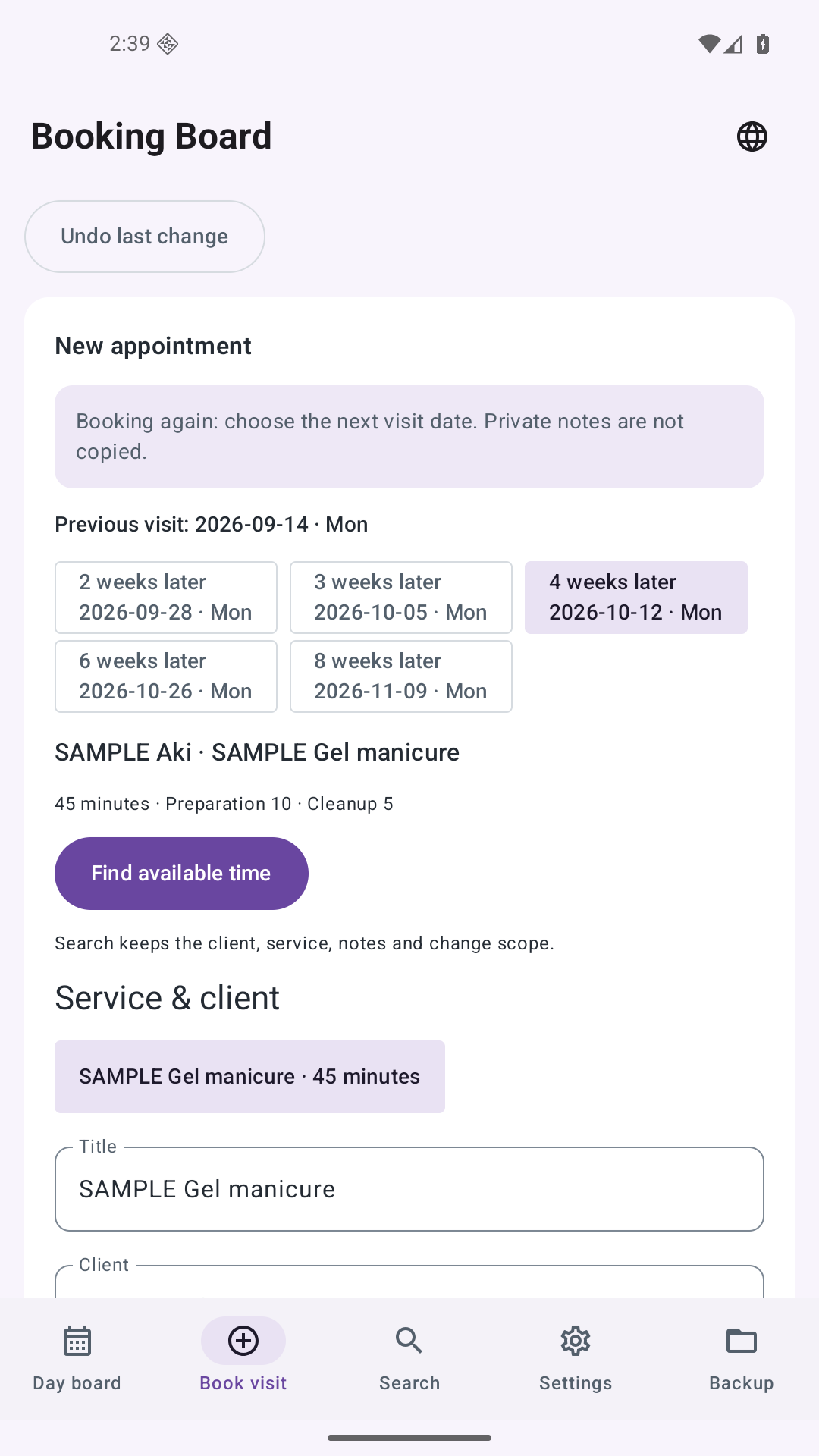
Start from a past visit, choose 2, 3, 4, 6 or 8 weeks later, then check the date and time before saving one next appointment.
03 / BOOKING BOARD
Example salon scenario. All customer names and appointment details shown are fictitious.
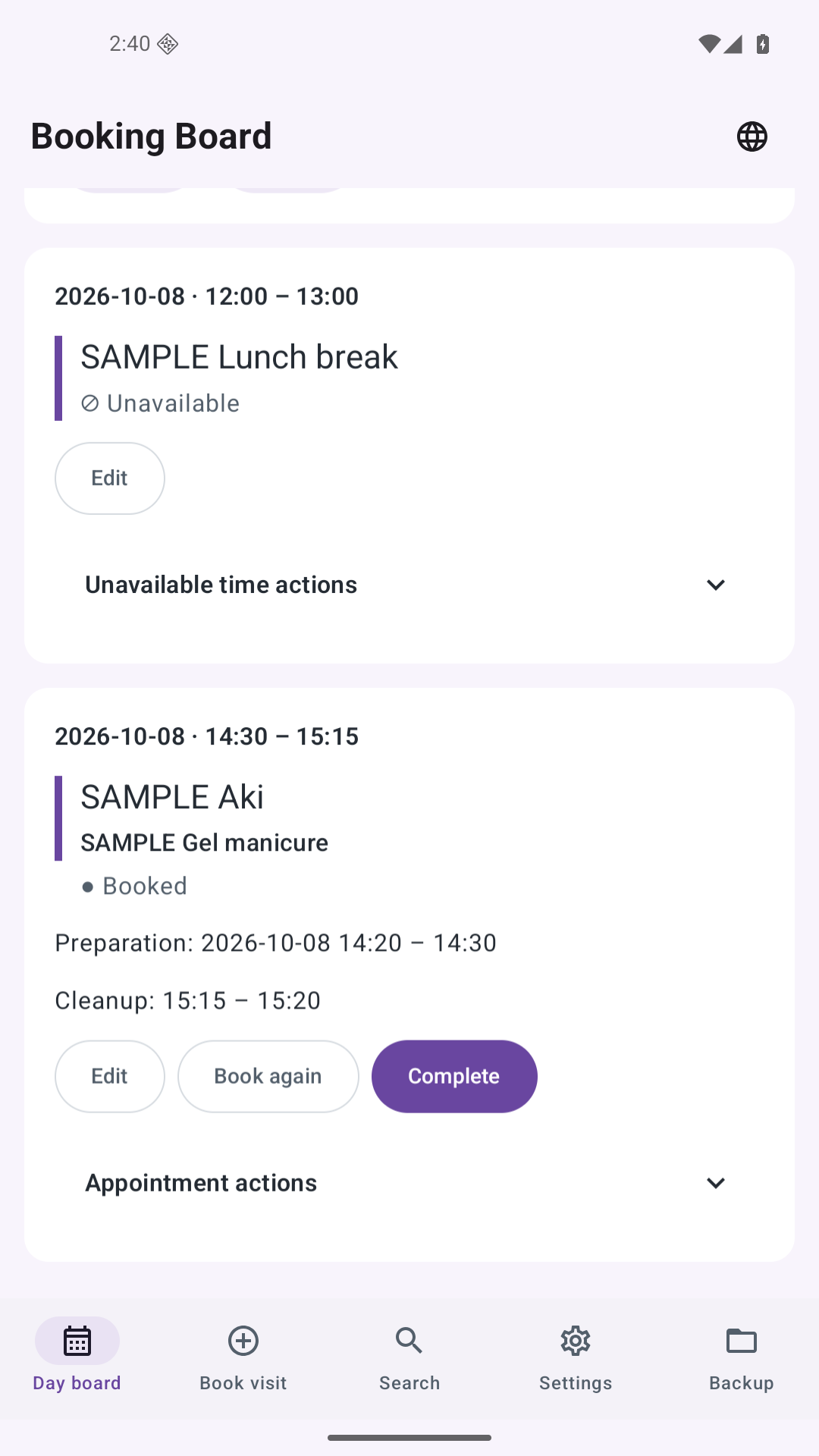
Open full-size image ↗Review the day's appointments and available time, including the preparation and cleanup around each service.
 Open full-size image ↗
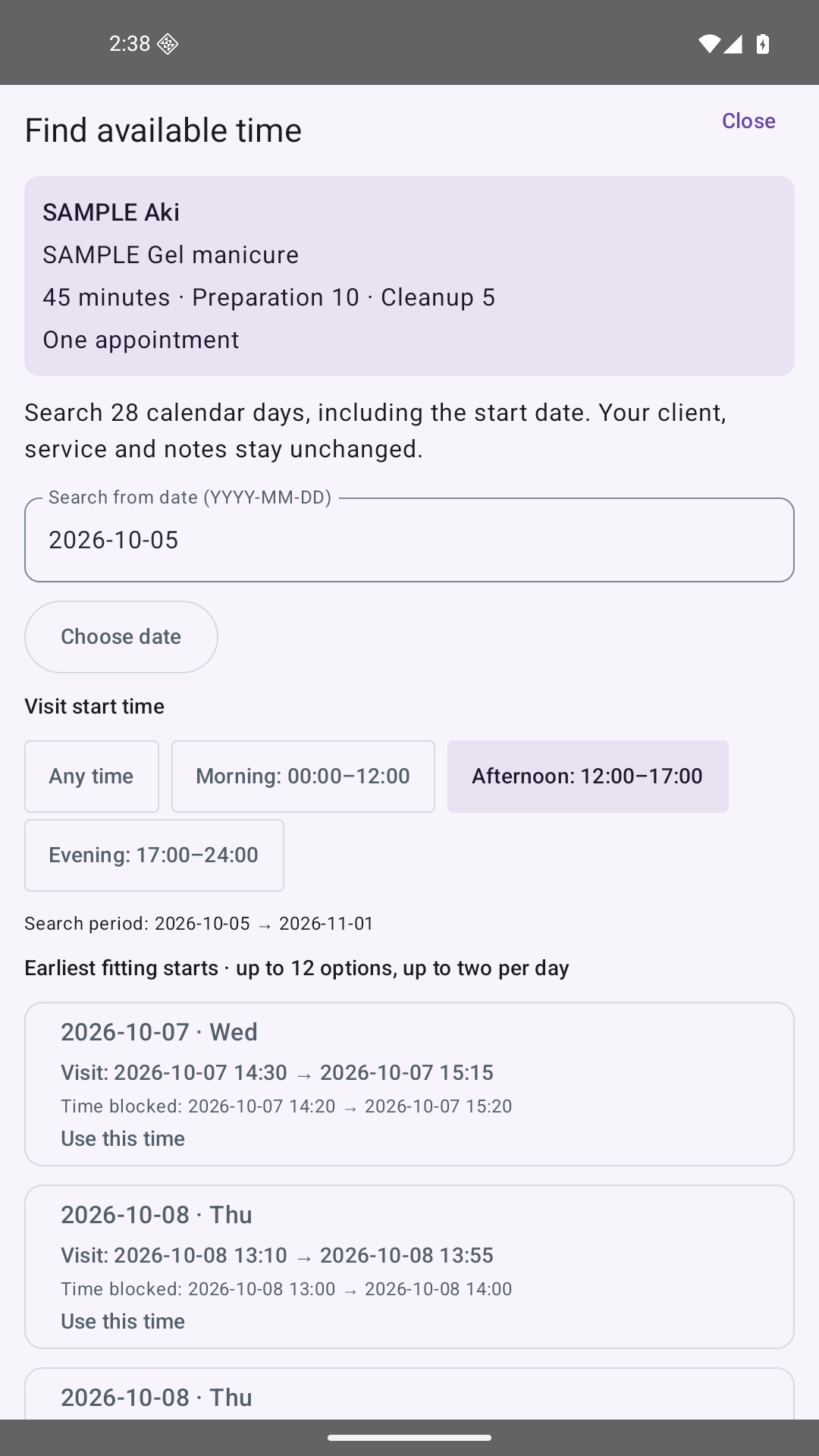
Search up to 28 calendar days and narrow the options to morning, afternoon or evening. Keep the client and service as you choose.
 Open full-size image ↗
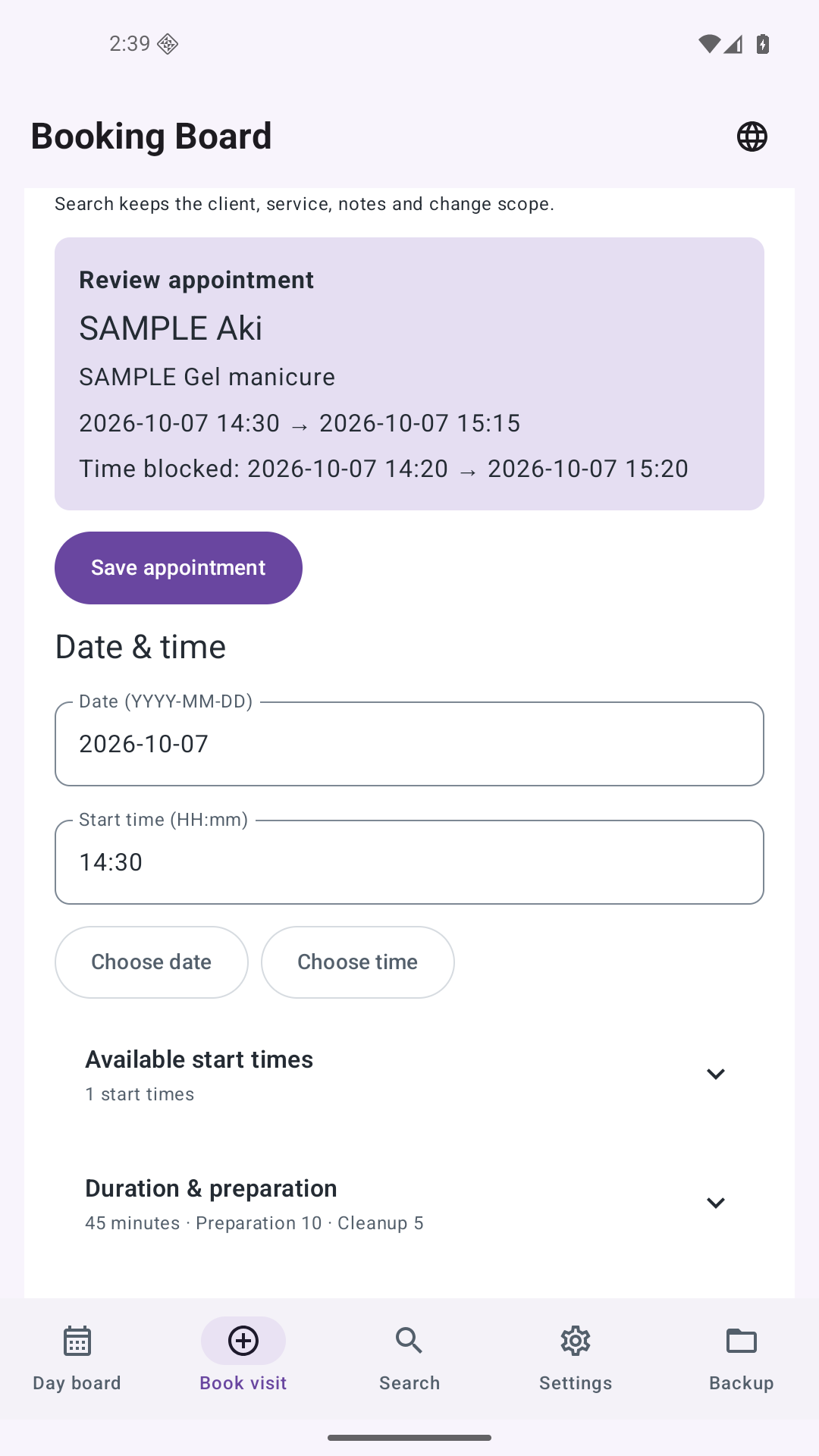
Bring the client, service and appointment time together. Overlap checks also account for preparation and cleanup.
 Open full-size image ↗
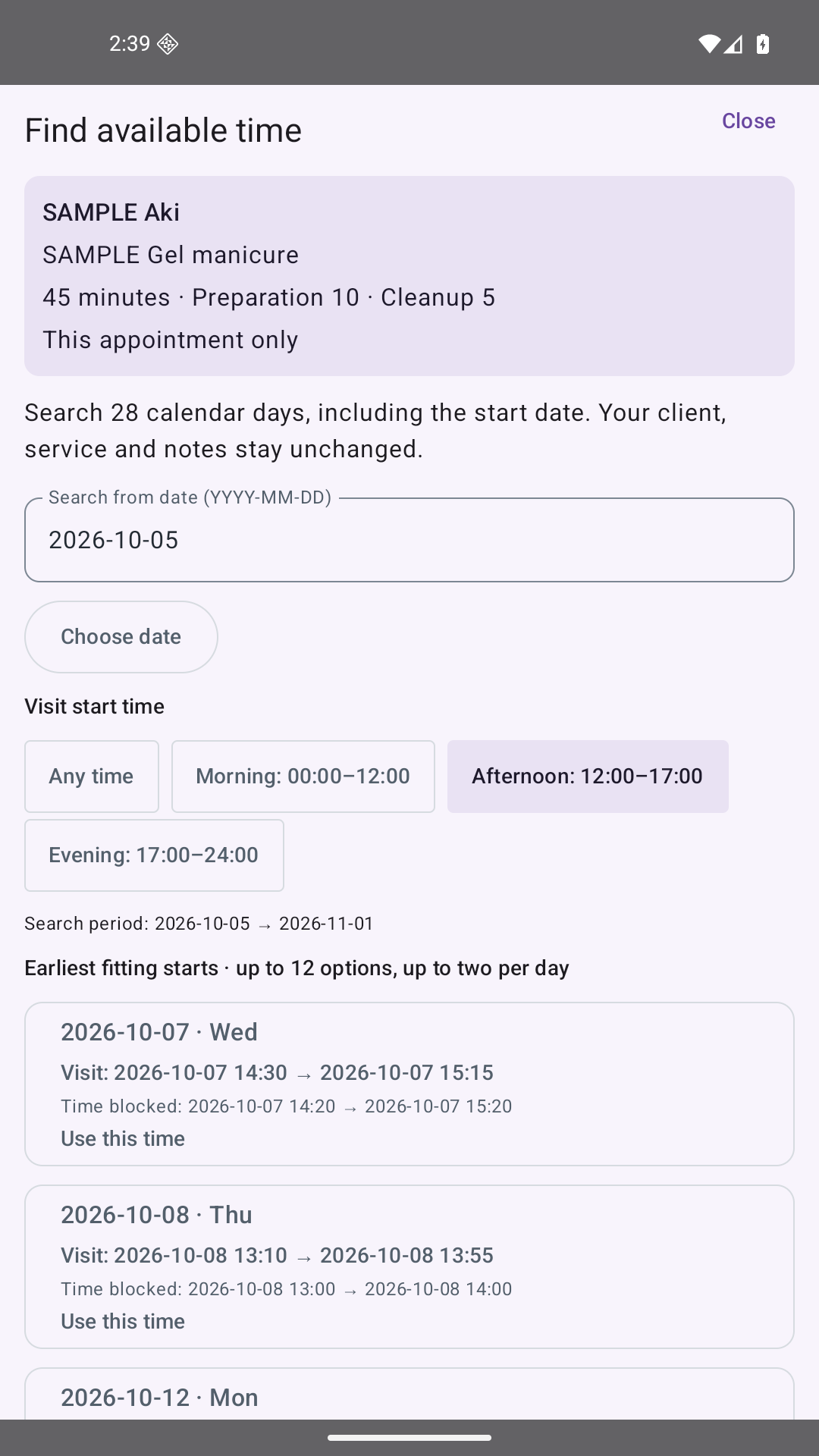
Move an appointment while keeping its client and service. For a linked series, choose this appointment or following booked appointments.
 Open full-size image ↗
Start from a past visit, choose 2, 3, 4, 6 or 8 weeks later, then check the date and time before saving one next appointment.
04 / Features
See appointments and free time across your day or week.
Save service duration, preparation and cleanup together.
Block lunch breaks and unavailable time separately from client appointments.
Find past appointments by client, service, notes or date.
Check every appointment in a weekly series before saving.
Review CSV or calendar files, and export a project for transfer to another phone.
Booking Board
Records are stored on your phone. No account registration, advertising or subscription.
05 / FAQ
Booking Board is a diary for appointments you receive by phone or in person. It does not provide a client booking website or process payments.
No automatic messages are sent. You can review confirmation text, then choose where to copy or share it. Private notes are excluded from that text.
Export a project on the old phone and import it on the new one to restore appointments, services and availability. Copies saved only inside the app stay on that device. Exported files contain customer information; choose where you save or share them carefully.
It creates a file; it is not ongoing synchronization and cannot remove events imported earlier. Appointment exports contain the service time without preparation or cleanup and exclude cancelled appointments.
English, Japanese, German, Korean, French, Spanish, Brazilian Portuguese, Italian, Traditional Chinese and Dutch.
A practical booking diary for the salon you run yourself. Check availability and the current price on Google Play.
View on Google PlaySee Google Play for the price in your country. Prices and availability may vary.
With your consent, we count page views, video plays, sample file openings, clicks to Google Play and successful inquiry submissions (without their content) to improve this page. Results are grouped by app, display language and broad traffic source. Names, email addresses, inquiry content, full URLs and IP addresses are not stored in the analytics data. We do not use cookies to identify individuals for this measurement. These actions do not indicate completed purchases. Your choice is saved in this browser and can be changed at any time.
Measurement is disabled